


Download ePSXe Latest Version
Developed by epsxe software s.l., ePSXe functions as a robust PlayStation emulator bridging legacy 32-bit RISC architecture with modern mobile hardware. This application employs a highly optimized Dynamic Recompiler and plugin-based architecture to deliver full-speed virtualization for classics like Metal Gear Solid and Final Fantasy IX. Users can utilize advanced features including Split-Screen Multiplayer, VR Mode, and external Peopsxgl plugins for enhanced rendering found on APK Games Tech. Experience rapid, secure installation by downloading the emulator from GB Plus Apps now.
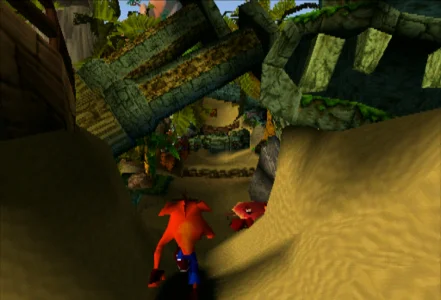
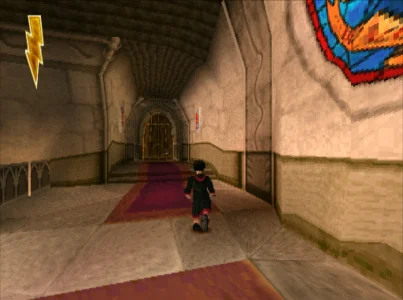
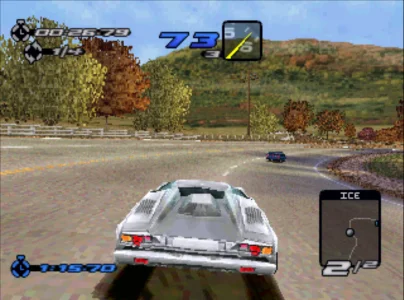
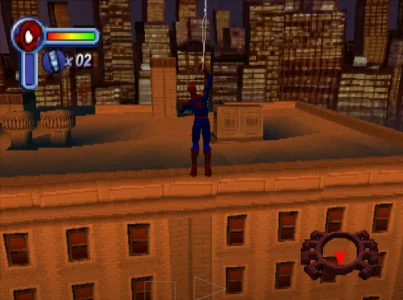
Game Visuals
ePSXe Overview
Executive Summary: The Architecture of Mobile Emulation
The evolution of mobile computing has enabled the virtualization of legacy console architectures on handheld devices. Within this domain, ePSXe for Android functions as a high-fidelity emulator designed to replicate the PlayStation (PSX) hardware environment. Developed by ePSXe software s.l., this application is a direct port of the seminal PC software that defined the emulation landscape in the early 2000s. As of the 2024-2025 software cycle, ePSXe serves as a bridge between the original 32-bit RISC architecture of the Sony console and modern ARM or x86 mobile processors. It remains a critical utility for users seeking to preserve and execute PS1 software libraries on Android operating systems ranging from legacy Gingerbread to modern Android 11+ environments.
Historical Development and Developer Lineage
The provenance of ePSXe traces back to its initial PC release on October 14, 2000. Created by a private development team known by the pseudonyms calb, Demo, and Galtor, the software introduced a modular plugin-based architecture. This design philosophy allowed separate development of GPU, SPU, and CDR modules, fostering rapid compatibility improvements. The Android iteration launched on August 30, 2012, marking a significant pivot toward mobile platforms. Despite a temporary suspension from the Google Play Store in 2016 due to an algorithmic policy error, the application was reinstated and continues to receive maintenance updates, specifically versions v2.0.17 and v2.0.18, to address modern file system mandates like Scoped Storage.
Technical Specifications and The Dynamic Recompiler
The core engine of ePSXe for Android utilizes a Dynamic Recompiler (dynarec). The original PlayStation relied on a MIPS R3000A CPU clocked at roughly 33.8 MHz. To emulate this on mobile devices, the dynarec translates blocks of MIPS instructions into native ARM or x86 machine code, caching them for efficient execution. This architectural efficiency allows the emulator to maintain full framerates even on single-core 1000MHz processors, distinguishing it from resource-heavy competitors.
System Requirements
ePSXe exhibits a broad compatibility spectrum, optimizing performance for both low-end and high-end hardware configurations:
- Minimum OS: Android 2.3 (Gingerbread).
- Recommended OS: Android 11+ (for optimal API support).
- Processor: ARMv7 or x86 (1000 MHz minimum); Quad-core recommended for OpenGL rendering.
- Graphics: OpenGL ES 3.0 compatible GPU (e.g., Adreno 5xx/6xx series) is required for hardware-accelerated visuals.
Operational Modes and Gameplay Mechanics
Unlike traditional video games, ePSXe offers distinct operational modes that define the user's interaction with the virtualized console.
Split-Screen and VR Integration
A defining feature of the application is its native Split-Screen Mode, engineered specifically for tablets. This functionality renders two distinct viewports on a single display, allowing local multiplayer for titles like Tekken 3 or Crash Team Racing without requiring separate devices. Furthermore, the software includes a VR Mode compatible with smartphone headsets like Google Cardboard. This mode utilizes a barrel distortion shader to simulate a "Virtual Cinema" environment, although it requires an external Bluetooth controller for input as touchscreen controls become inaccessible.
Local Netplay
For multi-device connectivity, ePSXe supports Local Netplay via Wi-Fi. This feature synchronizes input data across a local network, allowing one device to act as a host server. However, this mode is classified as experimental; successful synchronization requires low-latency connections and identical ISO and BIOS checksums to prevent emulation divergence or "desyncs."
Graphics Rendering: Software vs. Hardware
The visual fidelity of ePSXe is dictated by the user's choice of video renderer, balancing accuracy against enhancement.
Software Renderer
The Software Renderer prioritizes accuracy over resolution. It utilizes the device's CPU to rasterize graphics exactly as the original PlayStation GTE (Geometry Transformation Engine) did. This mode ensures maximum compatibility, correctly rendering complex framebuffer effects found in games like Final Fantasy IX, but is limited to the console's native internal resolution (typically 320x240).
OpenGL and Hardware Acceleration
For high-definition visuals, users can deploy the Hardware Renderer via the OpenGL plugin. This mode offloads processing to the Android GPU, enabling Internal Resolution Upscaling (2x or 4x). While this sharpens 3D geometry, it may expose the "wobbly polygons" inherent to the PS1's fixed-point math. To mitigate visual aging, ePSXe supports shader packs, including FXAA (Fast Approximate Anti-Aliasing) and CRT Filters, which simulate the scanlines of analog televisions.
BIOS Integration and File Management
ePSXe requires a BIOS file to function, which serves as the operating system for the virtual console. Users typically must provide files such as SCPH1001.bin (USA) or SCPH7502.bin (Europe). While the emulator offers a High Level Emulation (HLE) mode that simulates BIOS behavior, utilizing an official BIOS dump (Low Level Emulation or LLE) ensures greater than 99% compatibility.
On modern devices running Android 11 or higher, file management is governed by Scoped Storage protocols. Users must explicitly grant the application persistent read/write access to specific directories containing their game files. The emulator supports various disc image formats, including .iso, .bin, .cue, and the compressed .pbp format, which is recommended for multi-disc titles.
Game-Specific Optimization and Mechanics
High-level emulation often requires title-specific configurations to bypass original hardware quirks or emulation limitations.
Metal Gear Solid: The Controller Port Mechanic
In Metal Gear Solid, the boss character Psycho Mantis reads the player's inputs, rendering attacks ineffective unless the controller is switched to Port 2. ePSXe facilitates this via a software switch in the Input Preferences menu, allowing the user to map the virtual or physical controller to "Player 2," thereby preserving the game's meta-mechanic.
Castlevania: Symphony of the Night: 2D Filtering
For 2D sprite-based titles like Castlevania: Symphony of the Night, standard bilinear filtering can blur pixel art. ePSXe offers specialized 2D filters, such as xBRZ. This algorithm scales pixel art by rounding corners, creating a clean, vectorized aesthetic that maintains visual clarity on high-resolution mobile displays.
Comparative Analysis: ePSXe vs. DuckStation
In the current emulation market, ePSXe faces competition from DuckStation. While DuckStation offers advanced geometry correction (PGXP) to fix texture warping, ePSXe retains a specific niche for low-end hardware preservation. Its highly optimized dynarec allows it to run effectively on devices with limited processing power where newer emulators might struggle. However, for users with modern Snapdragon 8 series processors, the open-source alternatives often provide superior geometry stability.
Conclusion
ePSXe for Android stands as a robust, albeit legacy, solution for mobile PlayStation emulation. By combining a highly efficient dynamic recompiler with a modular plugin system, epsxe software s.l. has maintained a tool that allows for the preservation of digital gaming history. Whether utilizing the Software Renderer for purist accuracy or the OpenGL plugin for high-definition enhancement, the application provides a comprehensive suite of features for executing complex 32-bit software on the ARM architecture.
Architectural Overview and Emulation Dynamics
ePSXe (enhanced PSX emulator) for Android represents a sophisticated virtualization environment designed to replicate the PlayStation (PSX) console architecture on mobile devices. Developed by epsxe software s.l., this application functions as a bridge between legacy 32-bit RISC architecture and modern ARM or x86 mobile processors. The core mechanism driving this virtualization is the Dynamic Recompiler (dynarec). This engine translates the complex instructions of the original MIPS R3000A CPU into native machine code, enabling high-fidelity performance even on hardware with limited processing power. Unlike standard gaming applications, ePSXe does not contain intrinsic content; rather, it provides a robust “shell” or “engine” through which users execute ISO or BIN disc images. The software’s operational success relies on a delicate balance between High Level Emulation (HLE) and Low Level Emulation (LLE). While HLE simulates BIOS behaviors to bypass copyright restrictions, the LLE method—requiring a user-supplied BIOS file (such as SCPH1001.bin)—executes the original Sony bootstrap code, ensuring superior compatibility and stability across the extensive PlayStation library.
Visual Rendering and Graphical Strategies
The visual output of ePSXe is governed by distinct rendering pipelines that allow users to tailor the aesthetic experience between purist accuracy and modern enhancement. The Software Renderer serves as the most accurate mode, utilizing the device’s CPU to rasterize graphics exactly as the original console’s GPU (GTE) intended. This mode ensures the correct execution of complex framebuffer effects, such as motion blur and battle swirls found in Final Fantasy titles, but limits the visual output to the native resolution (typically 320×240). Conversely, the Hardware Renderer leverages OpenGL ES 3.0 to offload rasterization to the Android device’s GPU. This strategic choice enables Internal Resolution Upscaling, allowing 3D geometry to be rendered at 2x or 4x the native resolution. This upscaling transforms jagged polygons into sharp, high-definition models suitable for 1080p displays. Users seeking extreme graphical fidelity may integrate external OpenGL Plugins (specifically libopenglplugin.so), which unlock advanced post-processing capabilities.
Shader Implementation and Texture Filtering
To further refine visual fidelity, ePSXe incorporates a robust shader system. FXAA (Fast Approximate Anti-Aliasing) shaders smooth out jagged edges with minimal performance cost, maintaining high frame rates on mid-range devices. For enthusiasts of 2D sprite-based games like Castlevania: Symphony of the Night, standard bilinear filtering often degrades pixel art into blurred textures. The emulator addresses this through specific 2D filters such as xBRZ and 2xSAI. These algorithms scale pixel art by mathematically rounding off corners, creating a vectorized aesthetic that retains sharpness without the “blocky” look of raw pixels. Alternatively, CRT-Hyllian shaders simulate the scanlines and phosphor glow of vintage tube televisions, obscuring low-resolution imperfections and restoring the artistic intent of the 1990s.
Input Systems and Control Mechanics
Interaction within ePSXe transcends simple touchscreen tapping through a multi-faceted input system designed for ergonomic efficiency. The default Virtual Touchscreen Interface overlays semi-transparent controls onto the display. To mitigate the lack of physical tactile response, the emulator employs Haptic Feedback, utilizing the device’s vibration motor to confirm button presses. A critical feature for mobile usability is the Dynamic D-Pad. This mechanic allows the directional center to float; wherever the player places their thumb on the left screen quadrant becomes the new center, facilitating fluid movement without requiring precise finger positioning.
For players seeking competitive precision, ePSXe supports the Android Gamepad HID protocol, enabling seamless integration with physical controllers like the DualShock 4 or Xbox One controller. The software allows for comprehensive Key Mapping, enabling users to reassign specific functions to physical buttons. A notable strategic feature is the Combo Key or Macro system. Users can map a single button on a modern controller to trigger simultaneous inputs, such as “L1+R1+Start+Select.” This macro instantly executes the “Soft Reset” command used in many RPGs to reload save files rapidly, optimizing the “save scumming” process for better loot drops or critical hit outcomes. Additionally, the Simulated Analog feature allows users to map physical analog sticks to the digital D-Pad inputs of older titles, providing a more comfortable control scheme for pre-DualShock games like the original Resident Evil.
Advanced Operational Modes
ePSXe expands gameplay possibilities through specialized operational modes that leverage the unique form factors of mobile hardware.
- Split-Screen Multiplayer: Designed primarily for tablets, this mode renders two distinct viewports on a single display. This architecture allows two players to engage in local multiplayer titles like Tekken 3 or Crash Team Racing on one device, provided external Bluetooth controllers are utilized.
- VR Mode (Virtual Cinema): This mode applies a barrel distortion shader to the video output, duplicating the image for each eye to support Google Cardboard headsets. While it does not render games in stereoscopic 3D, it creates a “Virtual Cinema” environment where the player views the game on a massive floating screen within a virtual void.
- Portrait Mode Utility: For role-playing games, the emulator supports a vertical orientation where the game renders in the top half of the screen and a large, skinnable controller occupies the bottom. This layout mimics the ergonomics of handheld consoles, preventing the player’s thumbs from obscuring the action during turn-based combat.
Game-Specific Optimization Strategies
Due to the complexities of emulation, specific titles often require tailored configurations to function correctly. ePSXe provides tools to bypass these historical hardware quirks.
The Psycho Mantis Solution (Metal Gear Solid)
In Metal Gear Solid, the boss Psycho Mantis reads the player’s inputs, making him invincible unless the controller is switched to “Port 2.” Since smartphones lack physical ports, ePSXe offers a virtual software switch. During this encounter, the player must pause the emulation, navigate to the Input Preferences, and alter the Player ID from 1 to 2 via the “Map Buttons” menu. Resuming the game with this configuration allows the player to bypass the boss’s evasion mechanics effectively.
Framebuffer Correction (Final Fantasy IX)
Final Fantasy IX utilizes complex framebuffer effects to generate the “swirl” distortion when entering battles. On standard OpenGL settings, this effect often renders as corrupted graphical garbage. The strategic fix involves utilizing the OpenGL Plugin and setting Off-Screen Drawing to “Standard” or “Extended.” This configuration allocates specific VRAM for the framebuffer effects. Furthermore, ensuring Framebuffer Access is set to “Reading” allows the emulated CPU to access the GPU buffer, rendering the battle swirl correctly and preserving the visual continuity of the game.
Stability Fixes (Chrono Cross)
High-load scenes in Chrono Cross, particularly those involving “Element” attacks, can cause emulator crashes. Stability is achieved by disabling Overclocking features and setting the emulated CPU clock speed to strictly 1x. If utilizing hardware rendering, users must set Texture Quality to “R8 G8 B8 A8” (High). Lower bit-depth settings often result in texture corruption due to the game’s vibrant color palette. Additionally, enabling the “Odd/Even Bit Hack” within the special game fixes section resolves specific lag issues found in the status menu.
Performance Tuning and Audio Synchronization
Operational performance in ePSXe relies heavily on the management of Audio Latency and Frame Synchronization. The emulator’s SPU (Sound Processing Unit) core must remain synchronized with the video output to prevent crackling or stuttering. On older hardware, selecting “Normal” or “High” latency ensures a stable 60 FPS (NTSC) or 50 FPS (PAL) by allowing a larger audio buffer, albeit with a slight delay in sound effects. For modern devices with powerful CPUs (Snapdragon 8 Gen 1 and newer), “Low” or “Very Low” latency settings provide immediate audio feedback essential for rhythm games like PaRappa the Rapper. If visual stuttering occurs, enabling Frameskip allows the emulator to bypass rendering specific frames to maintain audio synchronization, ensuring the gameplay speed remains constant even under heavy processing loads.
Your Questions Answered
What is the primary function of ePSXe for Android?
It is a robust PlayStation (PSX) emulator that allows users to play legacy 32-bit console games on modern Android mobile devices.
Does ePSXe support multiplayer gameplay?
Yes, it supports a native Split-Screen Mode for tablets and an experimental Local Netplay feature via Wi-Fi for multi-device sessions.
What are the minimum hardware requirements to run ePSXe?
The emulator is highly optimized and can run on devices with as little as a 1000 MHz processor, 256 MB of RAM, and Android 2.3.
Do I need a BIOS file to use ePSXe?
While High Level Emulation simulates BIOS behavior with roughly 90% compatibility, using a real BIOS dump (LLE) is recommended for over 99% compatibility.
How can I improve the graphics of 3D games?
You can switch to the Hardware Renderer (OpenGL) to upscale resolution by 2x or 4x and apply shaders like FXAA for smoother visuals.
Does the emulator support physical controllers?
Yes, ePSXe supports the Android Gamepad HID protocol and includes profiles for controllers like DualShock 4, Xbox, and Moga Pro.
How do I defeat Psycho Mantis in Metal Gear Solid without physical controller ports?
You can pause the emulator and switch the Player ID from 1 to 2 in the Input Preferences menu to bypass the boss's mind-reading mechanics.
Why is my game list empty on Android 11 or newer devices?
You must manually grant the app persistent read/write access to your specific game folder to comply with modern Scoped Storage security requirements.
What is the best file format for saving storage space?
The .PBP format is highly recommended as it compresses multi-disc games into a single file, simplifying management and disc swapping.
Does ePSXe support Virtual Reality headsets?
Yes, it features a VR Mode compatible with Google Cardboard that creates a "Virtual Cinema" effect using a barrel distortion shader.
How does ePSXe compare to DuckStation?
DuckStation offers better geometry correction for modern phones, but ePSXe remains superior for performance on ultra-low-end or older hardware.
What should I do if the audio is crackling or stuttering?
You can resolve audio issues by enabling Frameskip, setting Sound Latency to "High," or disabling high-resolution shaders to lower CPU usage.
Is ePSXe for Android a free application?
No, it is a paid "premium" application with a one-time license fee and contains no advertisements or in-app purchases.
How do I fix graphical glitches in Final Fantasy IX?
You should use the OpenGL Plugin and set Off-Screen Drawing to "Standard" or "Extended" to correctly render the battle swirl effects.
Why does the app show a "License Verification Failed" error?
This occurs if the app cannot verify purchase via the Play Store; ensuring an internet connection and clearing the Play Store cache usually fixes it.